Billing & Access

My Subscriptions and Purchases

Everything you need to manage renewals, restore purchases, handle billing changes, and understand premium features inside Datemil.

Managing Your Subscription

Clear, private control over every part of your membership.

Your subscription activity remains private. Datemil gives you a clear path to review premium access, restore purchases, update payment information, and understand how subscription changes work across Apple and Google ecosystems.

Private Access

Hidden

Your status is not shown to other members.

Restore Flow

Simple

Quick recovery for active subscriptions.

Billing Help

Direct

Understand upgrades, refunds, and renewals.

Quick Topics

What you can handle here

12 topics
  • 1Subscription Visibility
  • 2Downgrading to a Free Membership
  • 3Cancellation Instructions
  • 4Giving Subscriptions as Gifts
  • 5Refund Requests
  • 6Restoring Purchases
  • 7Payment Information Updates
  • 8Upgrading Subscriptions
  • 9General Subscription Details
  • 10What are Roses, Gold, and Coins?
  • 11What is DateMil+?
  • 12Subscription Issues

Subscription Support

Billing, access, upgrades, and support guidance in one place.

These notes cover how Datemil handles privacy around subscriptions, refunds, upgrade behavior, premium features, and the most common billing questions users run into.

01

Subscription Visibility

Your subscription status is private and not visible to other members on Datemil.

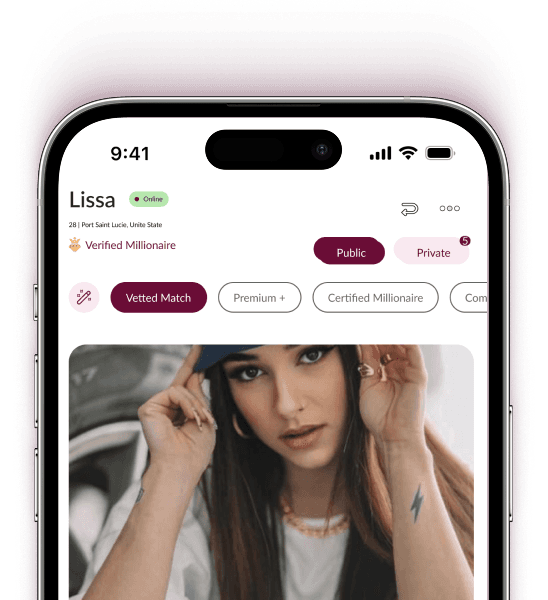
You can view your current subscription details in the app by tapping your profile photo on the far right of the navigation bar.

Your subscription status will appear at the top left.
02

Downgrading to a Free Membership

Subscriptions renew automatically unless canceled at least 24 hours before the renewal date.

This renewal policy is controlled by Apple and Google and cannot be altered by Datemil.

Canceling prevents future renewals but keeps the subscription active for the current period.

Deleting your account or app does not cancel your subscription.

If no cancellation option appears, your subscription is already canceled.

03

Cancellation Instructions

iOS: Follow Apple's guide to cancel subscriptions.

Android: Use Google Play's instructions for subscription cancellation.

04

Giving Subscriptions as Gifts

Datemil does not currently support gifting subscriptions.

We may add this feature in the future.

05

Refund Requests

Refunds are handled directly by Apple or Google.

iOS: Contact Apple Support for subscription or in-app purchase refunds.

Android: Request refunds through Google Support.

06

Restoring Purchases

Open the Datemil app and tap your profile photo.

Go to Settings using the gear icon.

Select Restore Subscription.

If unsuccessful, log out, log back in, and try again.

Ensure no other Datemil accounts are linked to the same credentials.

07

Payment Information Updates

Update your payment method on the platform used for the subscription.

iOS: Go to iPhone Settings, tap Apple ID, then Payment & Shipping.

Android: Open Google Play Store, tap Menu, then My Account.

08

Upgrading Subscriptions

Upgrades from Datemil Premium+ start immediately upon purchase.

iOS handles prorated refunds for the remaining subscription period automatically.

Android credits the remaining time toward the new subscription.

09

General Subscription Details

Datemil Premium+ renews automatically unless canceled 24 hours before the billing cycle ends.

Renewal charges occur within 24 hours of the current period ending.

10

What are Roses, Gold, and Coins?

Roses, Gold, and Coins help you stand out by showing heightened interest in someone's profile.

Each member receives one free Rose, Gold, and Coins per week, and they do not accumulate.

Purchased Roses, Gold, and Coins do not expire.

To send one, tap the Rose icon on a profile, optionally add a message, then send it.

11

What is DateMil+?

DateMil+ enhances your profile's visibility for an entire day.

It elevates your profile above others and adds a premium spotlight effect.

Likes or matches resulting from the feature are highlighted with a lightning bolt.

12

Subscription Issues

Errors can occur if your Apple ID or Google account is tied to another Datemil subscription.

Make sure old Datemil accounts are deleted before subscribing again.

To delete an account, log in with the associated credentials, go to Profile and Settings, then select Delete Account.

Need extra help?

For any additional assistance with subscription billing, restoration, or purchases, please contact Datemil Support.

Datemil App on iPhone 15

Download Now

And take control of your experience with features that help you stand out, connect with purpose, and meet people who truly align with you.

Download on the App StoreGet it on Google Play

Cookies

Datemil uses cookies to improve site performance and remember your preferences.

Accept all cookies or manage your preferences at any time.